 download the apps!
the docs
download the apps!
the docs
 >
usage
>
using veadotube
>
states and state groups
>
usage
>
using veadotube
>
states and state groups
states and state groups
both the scene editor and the dynamic editor feature a panel called states. this panel lets you create states that override given properties of an item (an object in a scene, or a layer in a dynamic avatar).
if you’re familiar with how the Timeline in Adobe Photoshop works, then it’s essentially the same idea: an item has its default properties, and in each state you can override different properties.
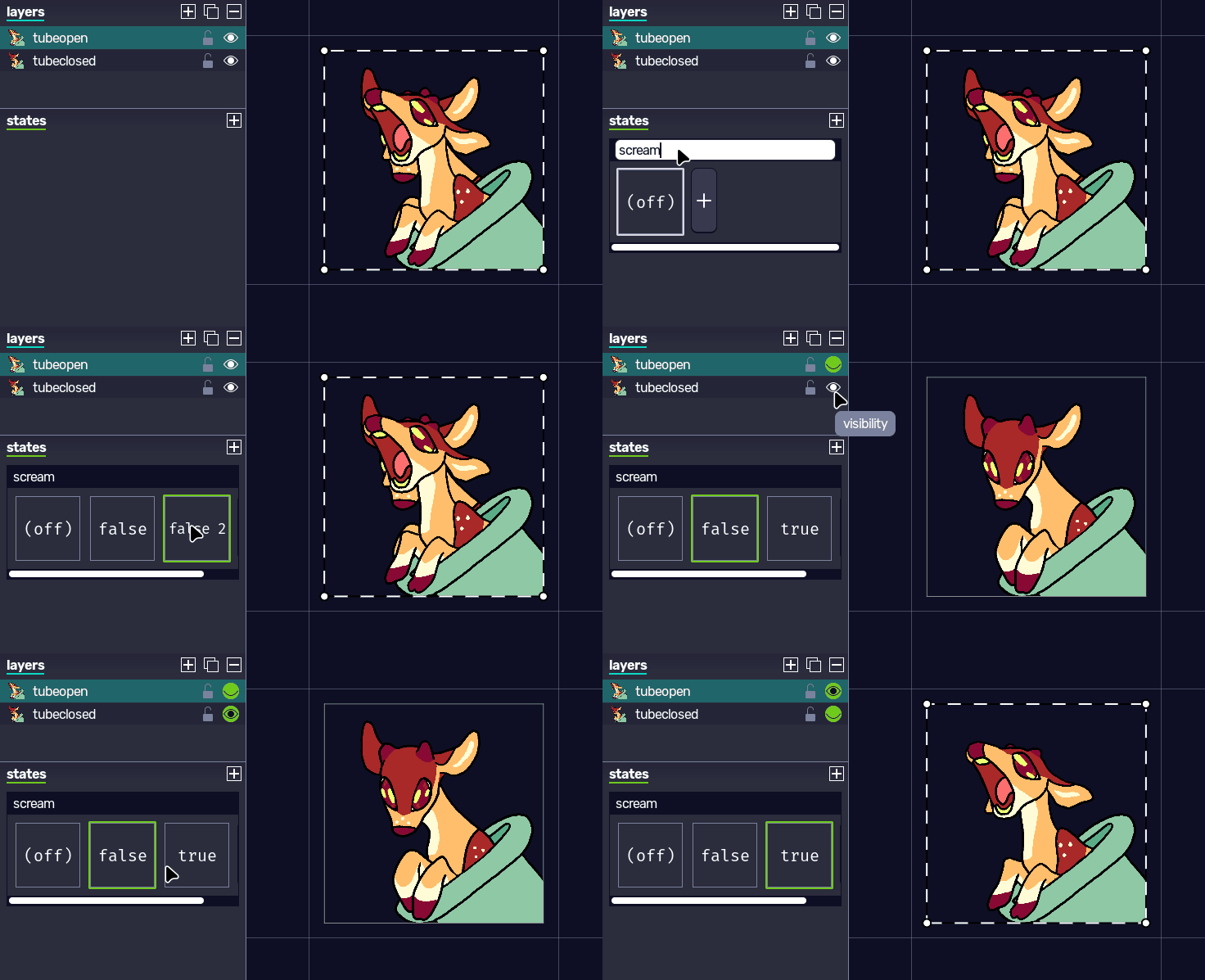
in order to have states, you must create a state group with  . a state group stores a collection of states, including the default one. a default state (also known as the “off” state) does not override any property.
you can create a new state by clicking  right beside the last state in a state group, and rename it by double-clicking the name. when a state that’s not the default one is selected, almost every change you make on an item will be saved in that state. the program lets you know that in the menu bar, and also by highlighting overriden properties with a green border.
the default state can be renamed to fit your needs as well. you can also set an image to each state, by right-clicking it and selecting set state icon. this icon will be propagated to the node system, and then any external integration that controls states in veadotube as well.
only one state of each state group can be active at a time. so if you have cases where states can overlap, this means you must have more than one state group. for example, an avatar that has both a blinking state and an open mouth state must have two state groups: one that controls the mouth openness, and another that controls the eye blink…ness?
in case two states in different state groups override the same property, the state group furthest at the bottom has the priority. the program marks states that are active but not prioritized with the color yellow instead.
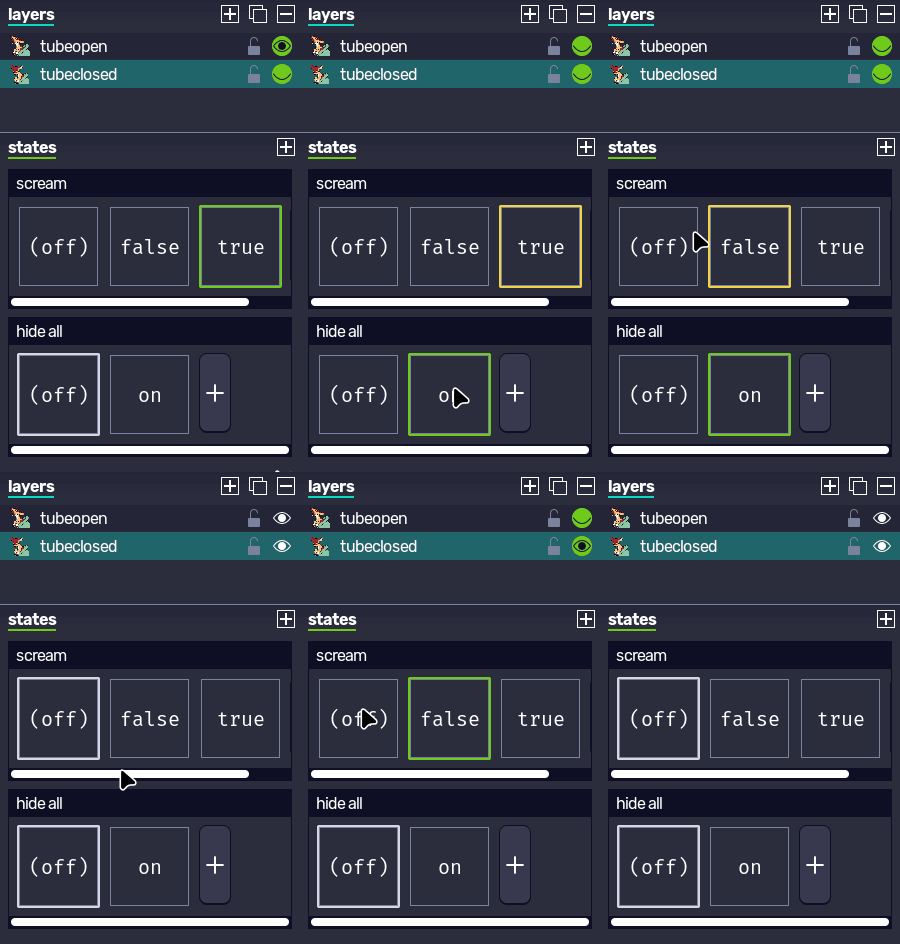
to clear an overriden property, right-click it and press clear; this will make the state no longer override the state. make sure states don’t override properties that they don’t need, so as to avoid conflict with other state groups.

so having states set up is the first step. how would you control the current state of a given state group? through nodes, of course! every state group spawns a new node in nodes that receives a string value as an input, with said value being exactly one of the state names (case sensitive). if the value does not match any state names, it falls back to the default node.
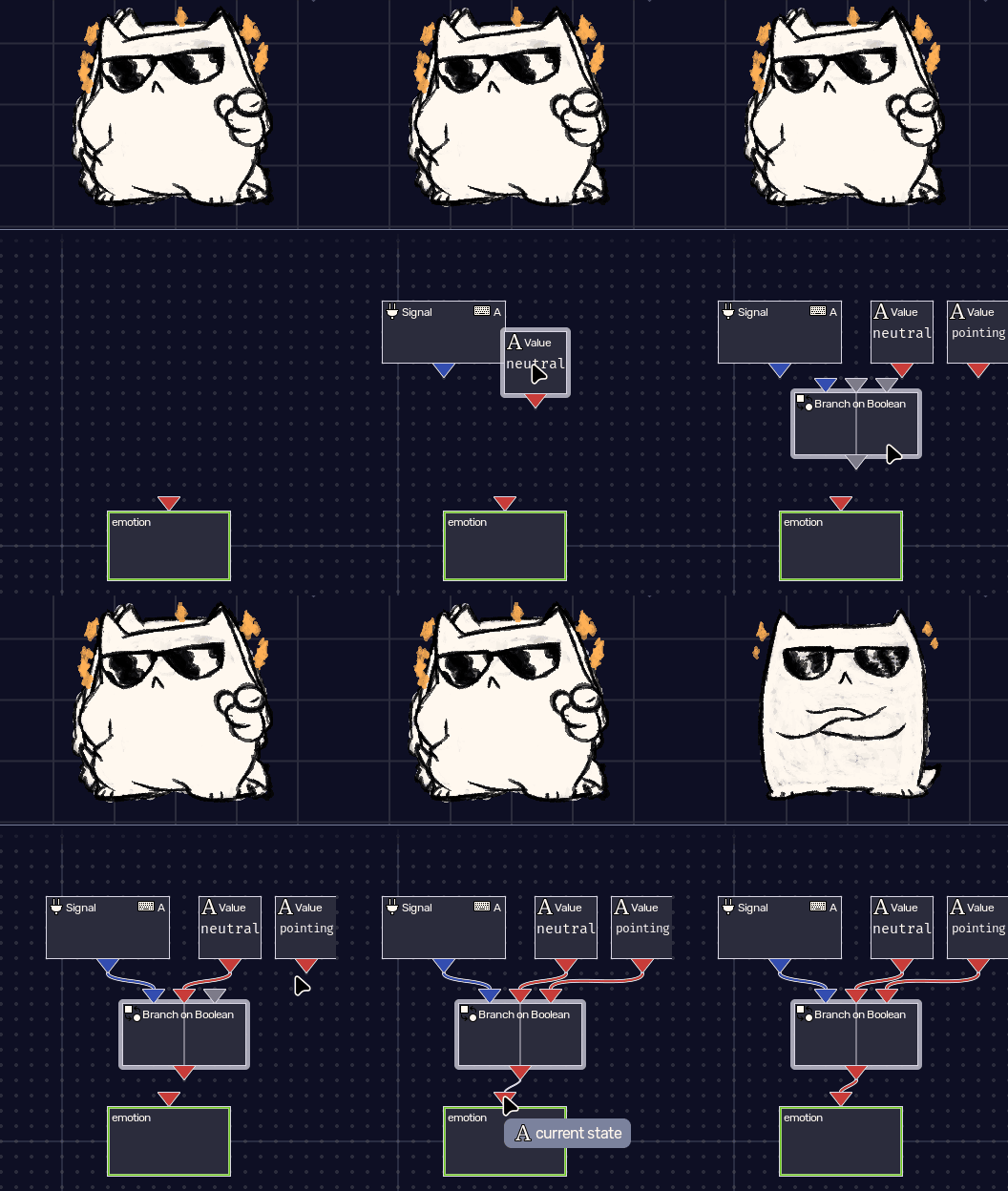
please refer to the node system guide to learn some different ways you can provide string values to a state group node (or any state input, like the veadotube mini avatar current state input in the scene editor).